

Vitae comes with a built-in exercise library covering Chest, Back, Shoulder, Arms, Legs, Core, and Cardio, with every exercise tagged by muscle group and tracking type. You can quickly filter by muscle group and add exercises to your workout plan; and if it’s not in the library, you can create your own.
1. Browse & Filter by Muscle Group
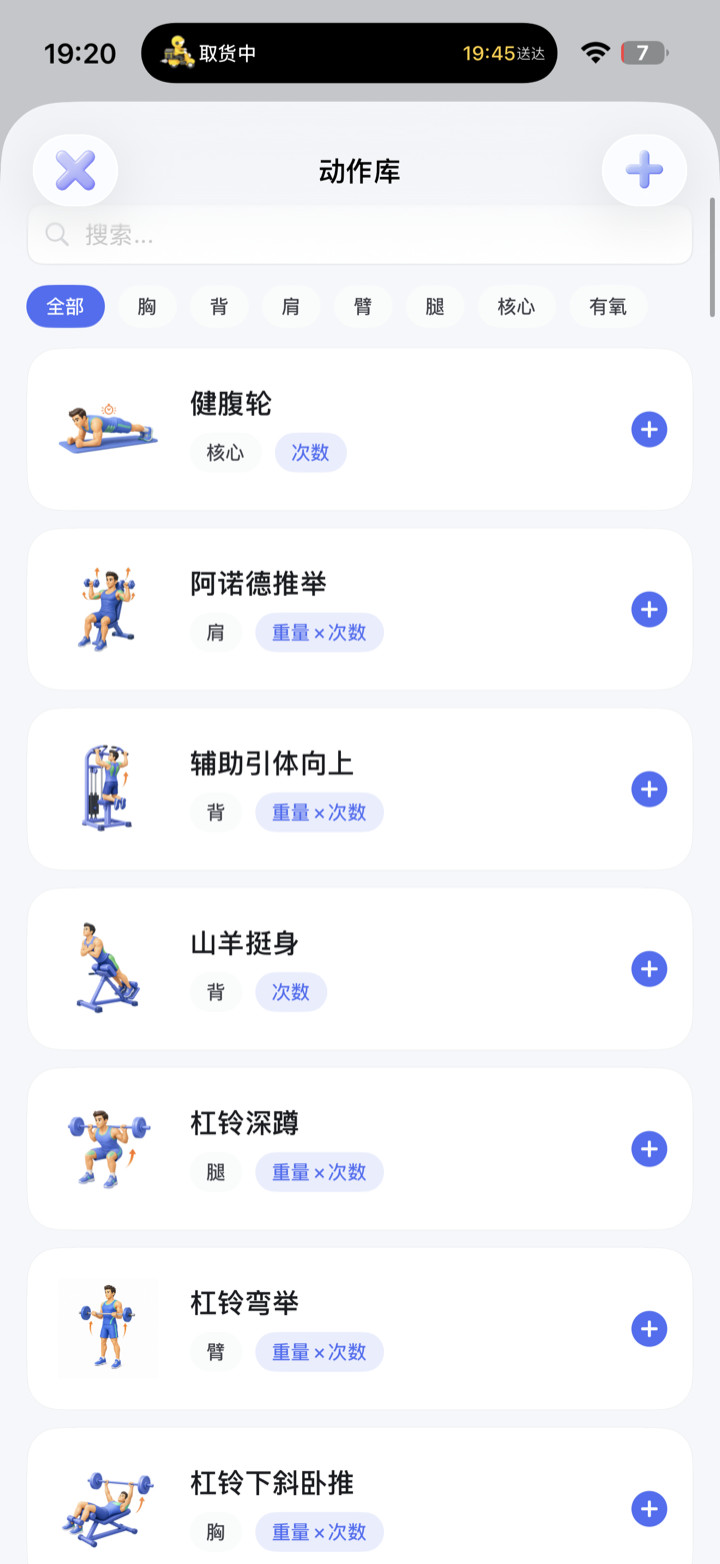
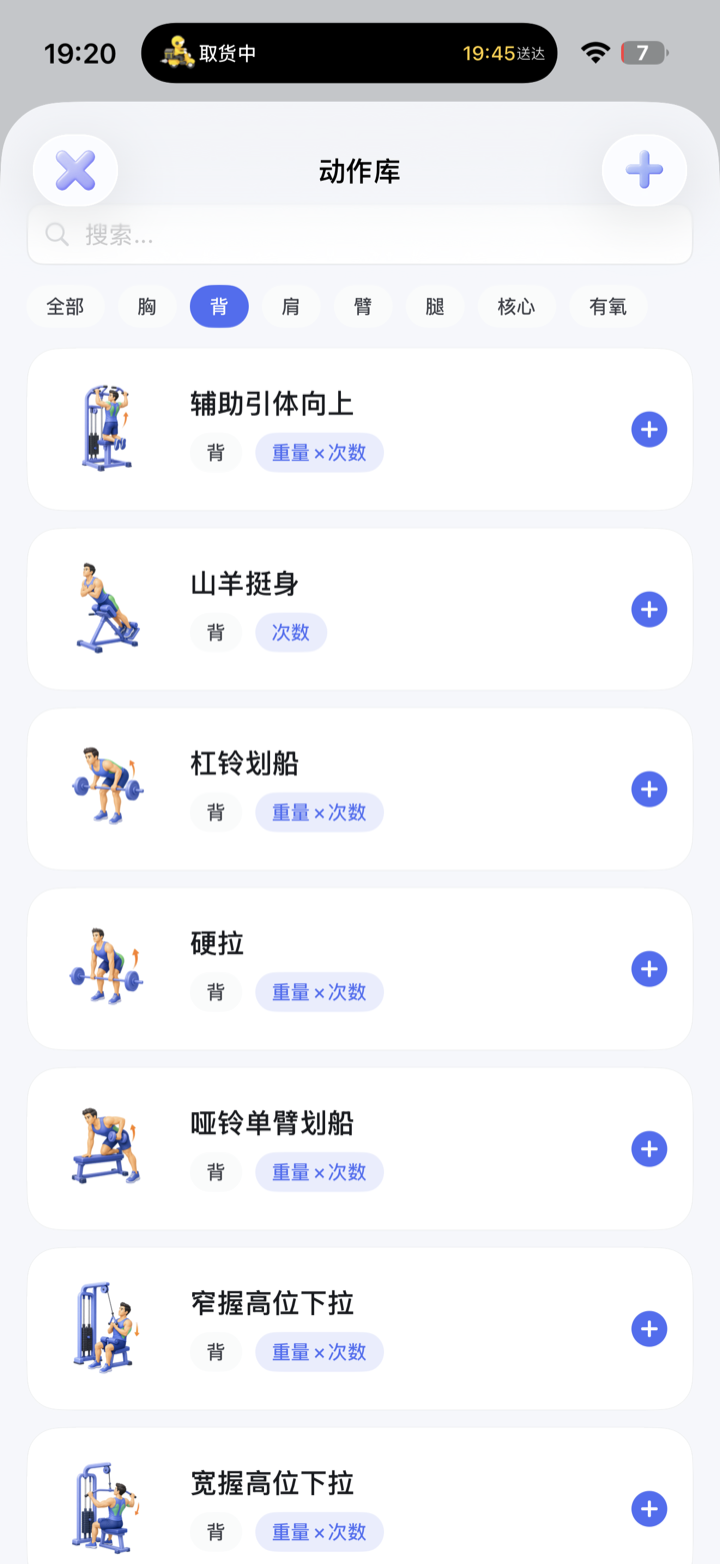
When you build a plan and tap “+” to add an exercise in Health → Exercise, you enter the exercise library. The row of tabs at the top—All / Chest / Back / Shoulder / Arms / Legs / Core / Cardio—lets you tap to view only that muscle group’s exercises, and you can also search exercise names directly with the search box above.
- Muscle group: the gray tag at the bottom-left of each exercise (Chest, Back, Shoulder…), so you can pick by target muscle.
- Tracking type: the blue tag on the right shows how the exercise is logged—weight × reps (barbell, dumbbell types), reps (crunches, ab wheel), time (plank, battle ropes), distance × time (cycling).
- Add to plan: tap the blue “+” on the right of an exercise to add it to your current workout plan.
2. Create a Custom Exercise
Can’t find the exercise you want in the library? Tap the “+” in the top-right corner of the exercise library to create a new one: enter the exercise name, choose the muscle group, choose the tracking type, and once saved it works just like a built-in exercise and can be added to any plan.
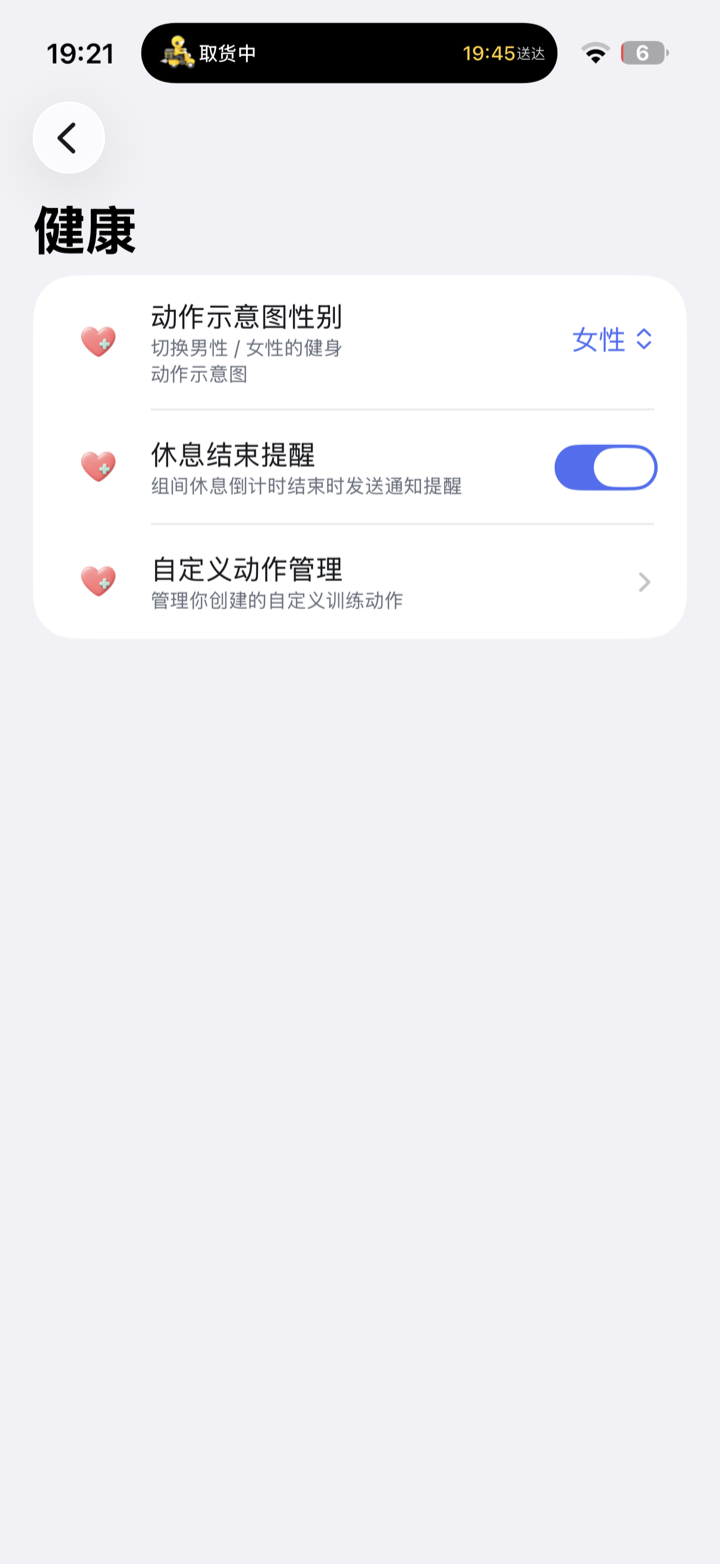
All custom exercises you create can be viewed and deleted in Settings → Health → Custom Exercise Management.
3. Fitness-Related Settings
In Settings → Health, there are a few switches related to fitness:
- Exercise Illustration Gender: switch between male / female exercise illustrations, whichever you prefer.
- Rest-End Reminder: whether to send a notification when the between-set rest countdown ends.
- Custom Exercise Management: manage the custom exercises you’ve created.
FAQ
Can I change the tracking type if I picked the wrong one?
Yes. Go to Settings → Health → Custom Exercise Management, find that exercise, and edit it again (the tracking type of built-in exercises is fixed).
Can I switch the illustrations to the female version?
Yes. Go to Settings → Health → Exercise Illustration Gender and switch to “Female,” and all exercise illustrations will change accordingly.
Can custom exercises be added to plans?
Yes. Once created, it appears in the exercise library just like built-in exercises—when building a plan, tap “+” to add it. For how to build a plan, see Build a Workout Plan + Start Training.